
Seismometer
Turn your phone into a live seismograph and see the vibrations around you.
Header photo: Z22 / Wikimedia Commons CC BY-SA 3.0
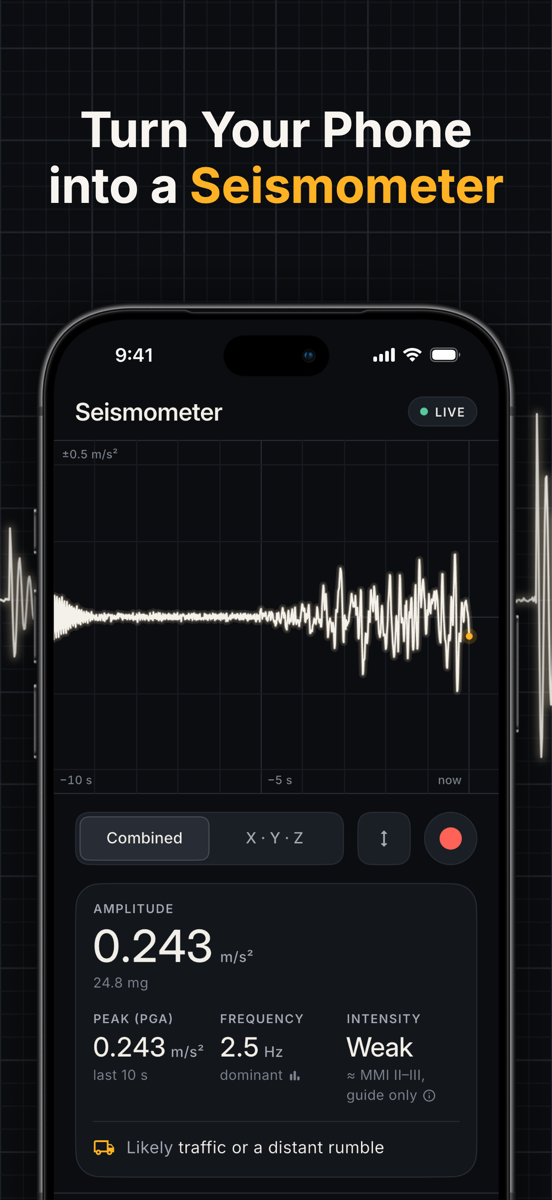
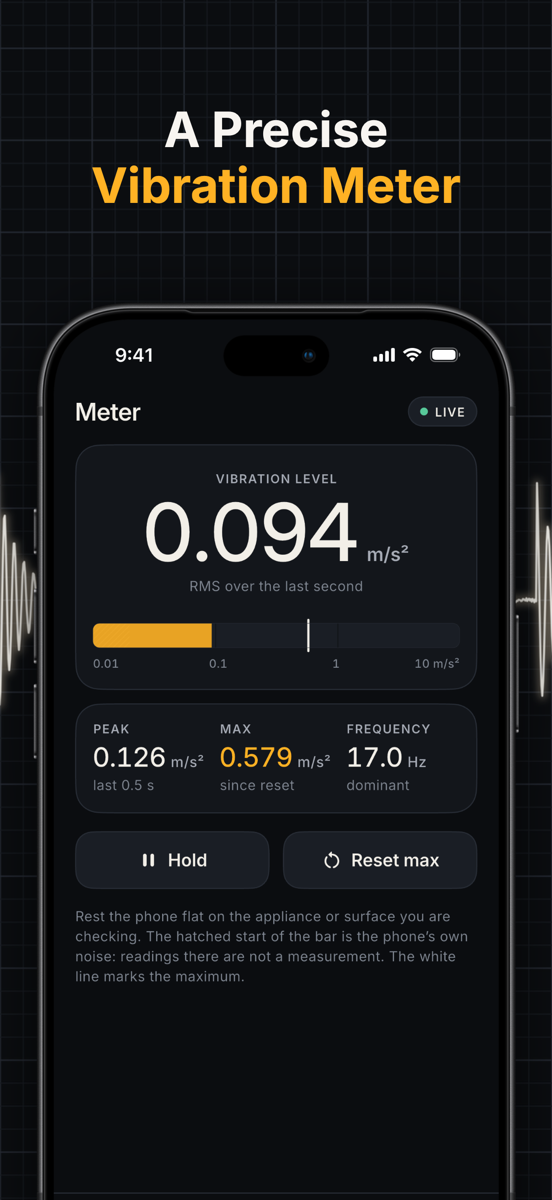
Seismometer turns your phone's accelerometer into a live seismograph. Put the phone flat on a solid surface and watch footsteps, doors, traffic and washing machines appear as a moving trace, with readings and plain-English explanations of what you're seeing. There's a Meter mode for checking how much an appliance or surface is shaking, and six short lessons on how seismometers work and what their traces mean. It's made for curious people, students and anyone who has wondered what a seismograph actually shows.
📈 The science behind it
Seismometer measures the acceleration of the phone itself, on three axes, about 100 times a second. It does not measure the motion of the ground. A phone lying on a table records the table, which is joined to the floor, which is joined to the building, which sits on the ground. Each link filters the motion and often amplifies it, so a tap next to the phone can read more than 1 m/s² while the ground under the building doesn't move measurably.
Seismometer is a learning tool, not an earthquake detector or a warning system. A resting phone picks up its own electronic noise, which is far larger than the motion of small or distant earthquakes, so they never show up. And no single phone can warn before shaking starts: early warning needs a network of stations near the fault and a way to alert people before the waves arrive. One phone can only show shaking that has already reached it. In an earthquake, always follow official guidance from your local authorities.
Why you'll love it
Live seismograph
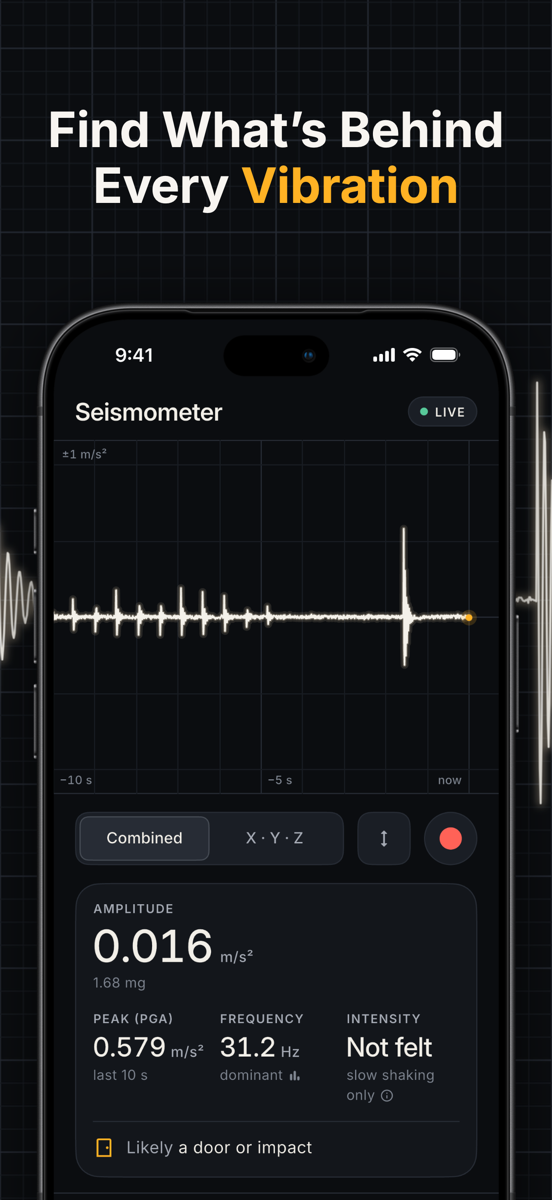
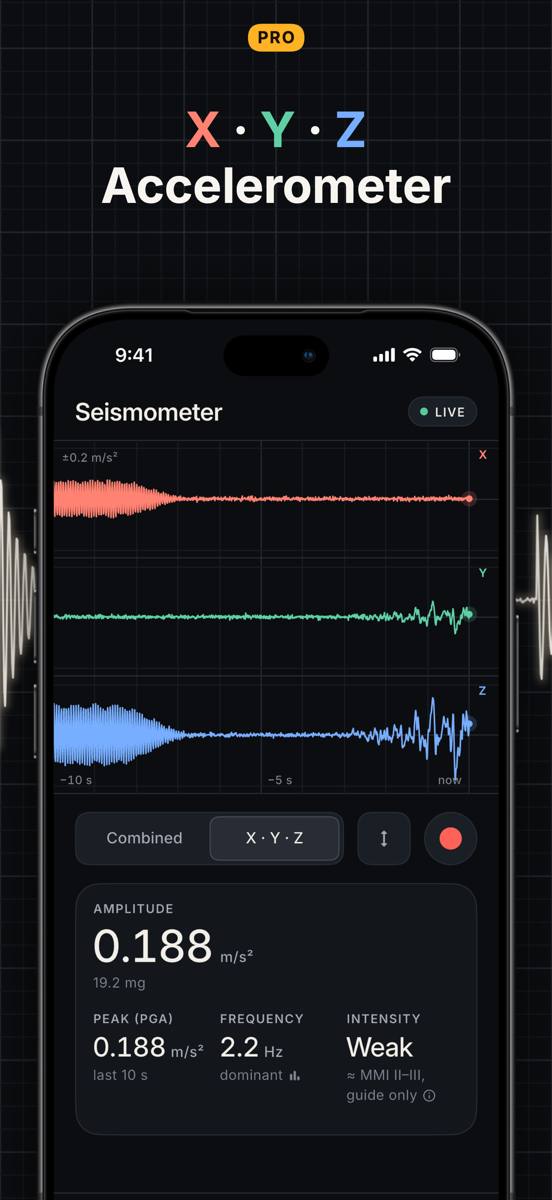
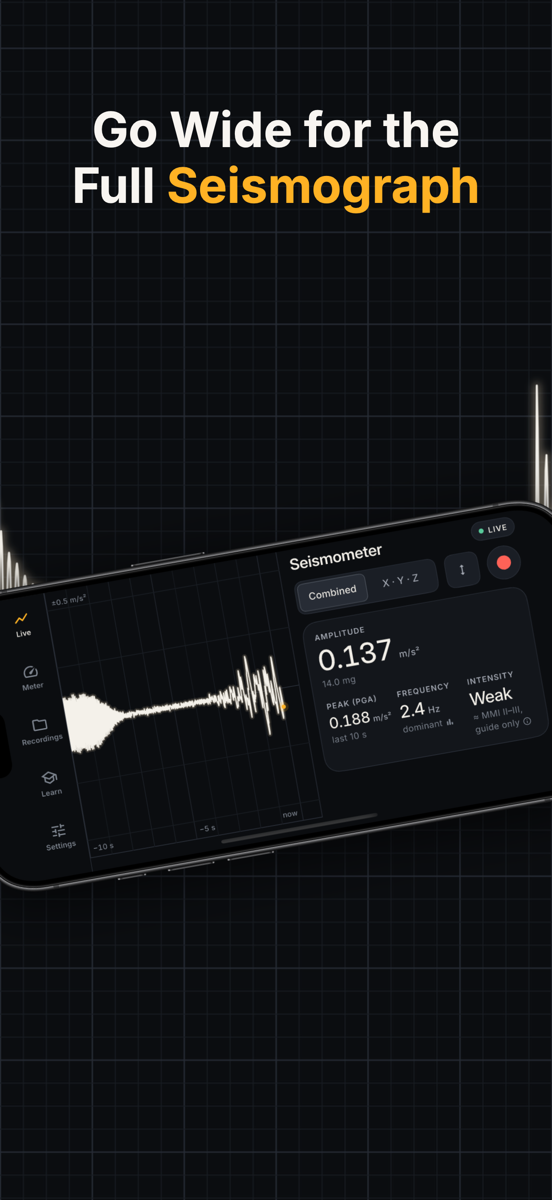
Lay your phone flat and watch every footstep, door and passing lorry as a moving trace of the last 10 seconds. Pro adds separate X, Y and Z traces.
Readings that mean something
See the amplitude, peak and dominant frequency, with an intensity guide and a hint at what caused each vibration, all explained in plain English.
Record and replay
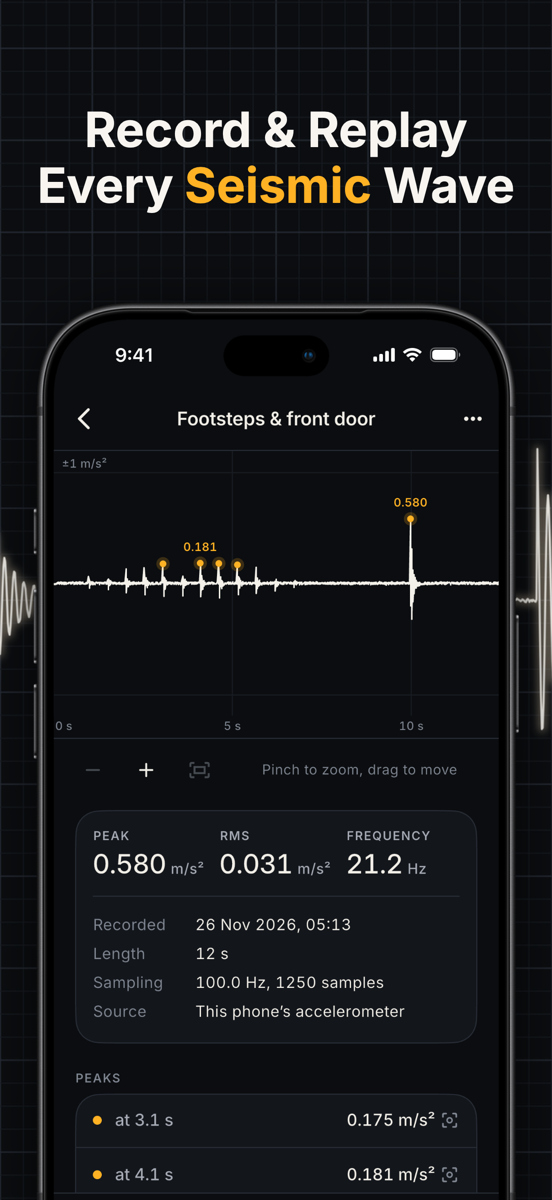
Save a recording, then zoom in and move along it to look closer. Free keeps three recordings. Pro keeps as many as you like and exports them as an image or CSV file.
Frequency analysis (Pro)
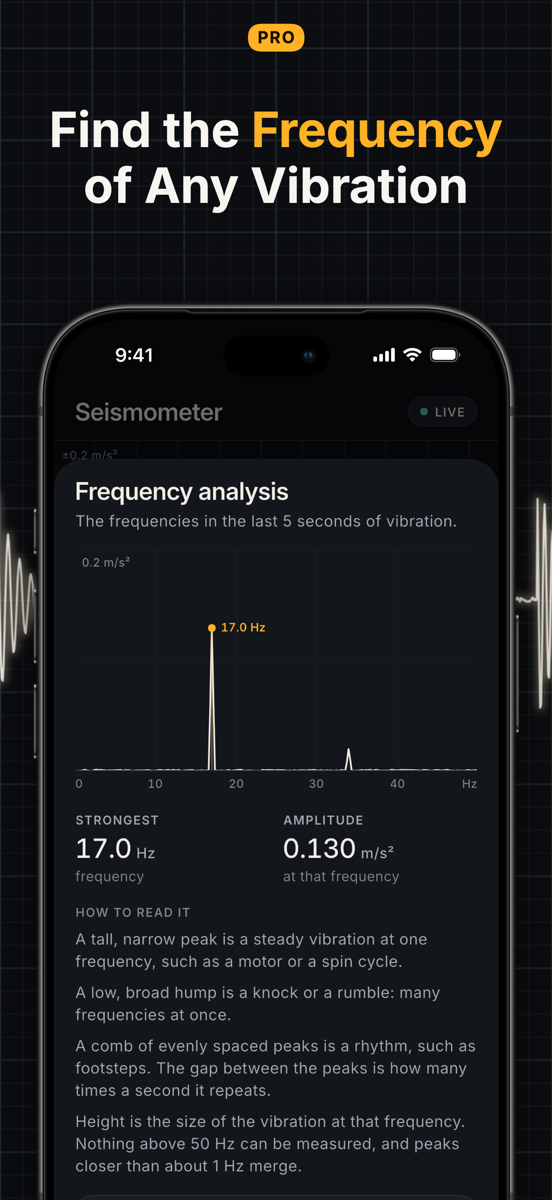
See the full spectrum of a vibration, live or for a whole recording, and tell a steady hum from a knock or the rhythm of footsteps.
Six short lessons
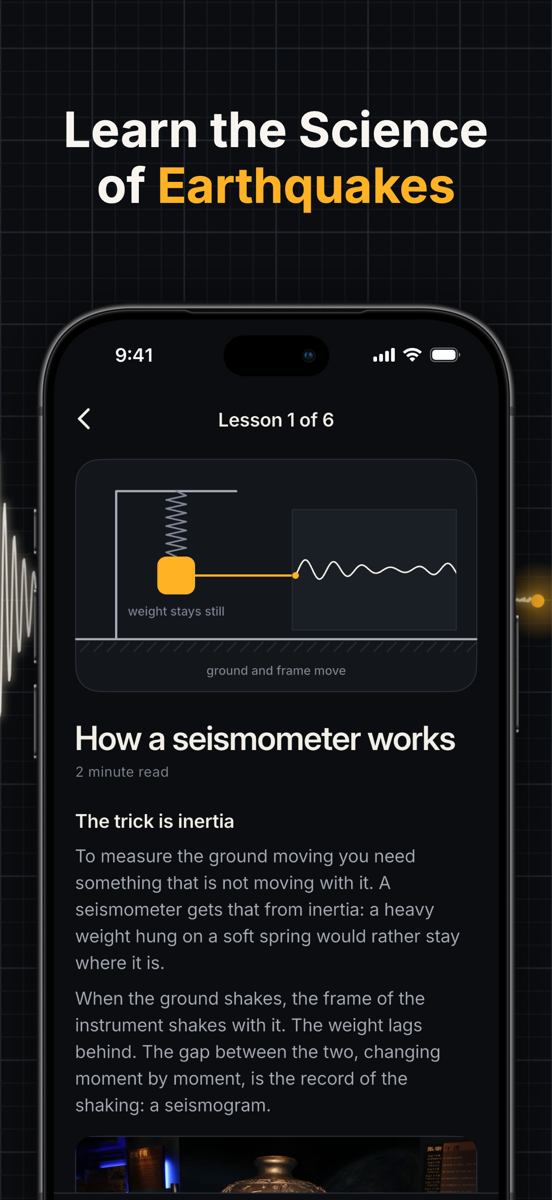
From how a seismometer works and P-waves and S-waves to magnitude vs intensity and why phones can't detect most earthquakes. The first two are free.
One purchase, no subscription
Free to download. Seismometer Pro is a one-time purchase that unlocks everything for good. No account and no ads.
How it works
- Put the phone down flat: Lay your phone on a solid surface such as a table, floor or worktop. The app tells you if it isn't lying flat and still.
- Watch the trace: Footsteps, doors, traffic and washing machines appear as a moving trace. Choose Auto, High, Medium or Low sensitivity. Pro adds a custom scale and shows anything from 5 to 60 seconds.
- Read what it means: See the amplitude, peak and dominant frequency in m/s² or g, with an intensity guide and a hint at the likely source, each explained in plain English.
- Record it and look closer: Record a vibration, then zoom in and replay it. With Pro, see its frequency spectrum and export it as an image or CSV file.
Screenshots
FAQ
Can it detect or warn of earthquakes?
No. Seismometer is not an earthquake detector or a warning system. A phone's accelerometer picks up its own electronic noise, which is far larger than the motion of small or distant earthquakes, so they don't show up. And no single phone can warn before shaking starts: early warning needs a network of stations near the fault and a way to alert people before the waves arrive. One phone can only show shaking that has already reached it. In an earthquake, always follow official guidance from your local authorities. For information about real earthquakes around the world, try my Earthquake Tracker app.
How accurate is it?
Seismometer is only as accurate as your phone's accelerometer, which isn't calibrated as a measuring instrument. It measures the acceleration of the phone itself, not the ground: a phone on a table records the table, which can soften or amplify what the floor and building are doing. The smallest readings are the phone's own noise. Use the readings to learn and to compare one vibration with another, not as official measurements, and don't use them for engineering, structural, workplace or safety decisions.
Does it work offline?
Yes. The trace, readings, recordings and lessons all work without an internet connection, and everything is worked out on your device. You only need a connection to buy or restore Pro, and to send usage statistics if you've chosen to share them.
Which devices are supported?
Seismometer runs on iPhone and iPad with iOS 16 or later. On iPad it uses the iPhone layout at a larger size. It works with larger text, Bold Text, Increase Contrast, Reduce Motion and VoiceOver. Read the Accessibility page for the details.
What data does it collect?
Very little. There's no account and no sign-up, and the app doesn't use your location, photos, microphone or contacts. The only sensor it reads is the accelerometer, which needs no permission, and your sensor readings and recordings stay on your device.
If usage statistics are on, the app sends Mixpanel which screens and features you use, when the app is opened and for how long, a few settings, and basic device information such as your phone's model and system version, together with a random identifier for this copy of the app. It never sends your recordings, sensor readings, location, name, email or payment details. You can turn usage statistics off under Settings → Privacy → Share usage statistics. Read the Privacy Policy for the full list.
How much does it cost?
Seismometer is free to download, and everything you need to see and understand vibrations is free. Seismometer Pro is a one-time purchase, not a subscription, and unlocks everything: separate X, Y and Z traces, frequency analysis, unlimited recordings, export, all six lessons and advanced sensitivity. If you reinstall the app or move to a new device, tap "Restore purchases" in Settings to get Pro back.
📧 Support
Questions or feedback? Email hello@laurence-wayne.com, or read the Support page.
🔄 Version & updates
Version 1.0.0. Last updated: . Coming to the App Store soon.
📈 Coming soon
Seismometer isn't on the App Store just yet. It will be available for iPhone and iPad soon, so please check back.